Basic Operator

Current Status

Not Enrolled

Price

Free

Get Started

Welcome to Basic Operator Training for ONYX Software. Through this four hour course, you will learn the basics of ONYX operation to get up and running with ripping and printing images for your print shop.

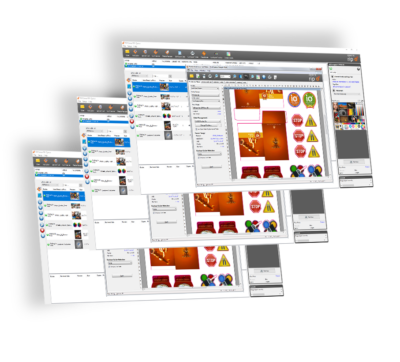
We focus first on the ONYX RIP-Queue interface including: the top navigation toolbar, RIP-Queue controls, opening files, submitting jobs, automation using Quick Sets, what hot folders are, and how to configure your printer to start printing. Our next section addresses job properties and placement strategies for printing and nesting. 

By the end of this course, you will be able to successfully navigate ONYX software for opening, editing, and printing files for your print shop.

Course Requirements:

  • Access to a computer with an internet connection.
  • Access to a Windows PC or laptop with a minimum of Windows® 10 Professional 64-bit.
  • It is suggested you follow along each lesson and topic with an active ONYX Thrive trial version installed to practice what you are learning.
  • You can get the trial software at https://www.onyxgfx.com/downloads/

Course length: 

  • 4 hours

Basic Operator

Current Status

Not Enrolled

Price

Free

Get Started

Welcome to Basic Operator Training for ONYX Software. Through this four hour course, you will learn the basics of ONYX operation to get up and running with ripping and printing images for your print shop.

We focus first on the ONYX RIP-Queue interface including: the top navigation toolbar, RIP-Queue controls, opening files, submitting jobs, automation using Quick Sets, what hot folders are, and how to configure your printer to start printing. Our next section addresses job properties and placement strategies for printing and nesting. 

By the end of this course, you will be able to successfully navigate ONYX software for opening, editing, and printing files for your print shop.

Course Requirements:

  • Access to a computer with an internet connection.
  • Access to a Windows PC or laptop with a minimum of Windows® 10 Professional 64-bit.
  • It is suggested you follow along each lesson and topic with an active ONYX Thrive trial version installed to practice what you are learning.
  • You can get the trial software at https://www.onyxgfx.com/downloads/

Course length: 

  • 4 hours

Basic Operator

Current Status

Not Enrolled

Price

Free

Get Started

Welcome to Basic Operator Training for ONYX Software. Through this four hour course, you will learn the basics of ONYX operation to get up and running with ripping and printing images for your print shop.

We focus first on the ONYX RIP-Queue interface including: the top navigation toolbar, RIP-Queue controls, opening files, submitting jobs, automation using Quick Sets, what hot folders are, and how to configure your printer to start printing. Our next section addresses job properties and placement strategies for printing and nesting. 

By the end of this course, you will be able to successfully navigate ONYX software for opening, editing, and printing files for your print shop.

Course Requirements:

  • Access to a computer with an internet connection.
  • Access to a Windows PC or laptop with a minimum of Windows® 10 Professional 64-bit.
  • It is suggested you follow along each lesson and topic with an active ONYX Thrive trial version installed to practice what you are learning.
  • You can get the trial software at https://www.onyxgfx.com/downloads/

Course length: 

  • 4 hours

Basic Operator

Current Status

Not Enrolled

Price

Free

Get Started

Welcome to Basic Operator Training for ONYX Software. Through this four hour course, you will learn the basics of ONYX operation to get up and running with ripping and printing images for your print shop.

We focus first on the ONYX RIP-Queue interface including: the top navigation toolbar, RIP-Queue controls, opening files, submitting jobs, automation using Quick Sets, what hot folders are, and how to configure your printer to start printing. Our next section addresses job properties and placement strategies for printing and nesting. 

By the end of this course, you will be able to successfully navigate ONYX software for opening, editing, and printing files for your print shop.

Course Requirements:

  • Access to a computer with an internet connection.
  • Access to a Windows PC or laptop with a minimum of Windows® 10 Professional 64-bit.
  • It is suggested you follow along each lesson and topic with an active ONYX Thrive trial version installed to practice what you are learning.
  • You can get the trial software at https://www.onyxgfx.com/downloads/

Course length: 

  • 4 hours

Basic Operator

Welcome to Basic Operator Training for ONYX Software. Through this four hour course, you will learn the basics of ONYX operation to get up and running with ripping and printing images for your print shop.

We focus first on the ONYX RIP-Queue interface including: the top navigation toolbar, RIP-Queue controls, opening files, submitting jobs, automation using Quick Sets, what hot folders are, and how to configure your printer to start printing. Our next section addresses job properties and placement strategies for printing and nesting. 

By the end of this course, you will be able to successfully navigate ONYX software for opening, editing, and printing files for your print shop.

Course Requirements:

  • Access to a computer with an internet connection.
  • Access to a Windows PC or laptop with a minimum of Windows® 10 Professional 64-bit.
  • It is suggested you follow along each lesson and topic with an active ONYX Thrive trial version installed to practice what you are learning.
  • You can get the trial software at https://www.onyxgfx.com/downloads/

Course length: 

  • 4 hours

Basic Operator

Current Status

Not Enrolled

Price

Free

Get Started

Welcome to Basic Operator Training for ONYX Software. Through this four hour course, you will learn the basics of ONYX operation to get up and running with ripping and printing images for your print shop.

We focus first on the ONYX RIP-Queue interface including: the top navigation toolbar, RIP-Queue controls, opening files, submitting jobs, automation using Quick Sets, what hot folders are, and how to configure your printer to start printing. Our next section addresses job properties and placement strategies for printing and nesting. 

By the end of this course, you will be able to successfully navigate ONYX software for opening, editing, and printing files for your print shop.

Course Requirements:

  • Access to a computer with an internet connection.
  • Access to a Windows PC or laptop with a minimum of Windows® 10 Professional 64-bit.
  • It is suggested you follow along each lesson and topic with an active ONYX Thrive trial version installed to practice what you are learning.
  • You can get the trial software at https://www.onyxgfx.com/downloads/

Course length: 

  • 4 hours

Basic Operator

Welcome to Basic Operator Training for ONYX Software. Through this four hour course, you will learn the basics of ONYX operation to get up and running with ripping and printing images for your print shop.

We focus first on the ONYX RIP-Queue interface including: the top navigation toolbar, RIP-Queue controls, opening files, submitting jobs, automation using Quick Sets, what hot folders are, and how to configure your printer to start printing. Our next section addresses job properties and placement strategies for printing and nesting. 

By the end of this course, you will be able to successfully navigate ONYX software for opening, editing, and printing files for your print shop.

Course Requirements:

  • Access to a computer with an internet connection.
  • Access to a Windows PC or laptop with a minimum of Windows® 10 Professional 64-bit.
  • It is suggested you follow along each lesson and topic with an active ONYX Thrive trial version installed to practice what you are learning.
  • You can get the trial software at https://www.onyxgfx.com/downloads/

Course length: 

  • 4 hours

Basic Operator

Current Status

Not Enrolled

Price

Free

Get Started

Welcome to Basic Operator Training for ONYX Software. Through this four hour course, you will learn the basics of ONYX operation to get up and running with ripping and printing images for your print shop.

We focus first on the ONYX RIP-Queue interface including: the top navigation toolbar, RIP-Queue controls, opening files, submitting jobs, automation using Quick Sets, what hot folders are, and how to configure your printer to start printing. Our next section addresses job properties and placement strategies for printing and nesting. 

By the end of this course, you will be able to successfully navigate ONYX software for opening, editing, and printing files for your print shop.

Course Requirements:

  • Access to a computer with an internet connection.
  • Access to a Windows PC or laptop with a minimum of Windows® 10 Professional 64-bit.
  • It is suggested you follow along each lesson and topic with an active ONYX Thrive trial version installed to practice what you are learning.
  • You can get the trial software at https://www.onyxgfx.com/downloads/

Course length: 

  • 4 hours

Basic Operator

Welcome to Basic Operator Training for ONYX Software. Through this four hour course, you will learn the basics of ONYX operation to get up and running with ripping and printing images for your print shop.

We focus first on the ONYX RIP-Queue interface including: the top navigation toolbar, RIP-Queue controls, opening files, submitting jobs, automation using Quick Sets, what hot folders are, and how to configure your printer to start printing. Our next section addresses job properties and placement strategies for printing and nesting. 

By the end of this course, you will be able to successfully navigate ONYX software for opening, editing, and printing files for your print shop.

Course Requirements:

  • Access to a computer with an internet connection.
  • Access to a Windows PC or laptop with a minimum of Windows® 10 Professional 64-bit.
  • It is suggested you follow along each lesson and topic with an active ONYX Thrive trial version installed to practice what you are learning.
  • You can get the trial software at https://www.onyxgfx.com/downloads/

Course length: 

  • 4 hours

Basic Operator

Current Status

Not Enrolled

Price

Free

Get Started

Welcome to Basic Operator Training for ONYX Software. Through this four hour course, you will learn the basics of ONYX operation to get up and running with ripping and printing images for your print shop.

We focus first on the ONYX RIP-Queue interface including: the top navigation toolbar, RIP-Queue controls, opening files, submitting jobs, automation using Quick Sets, what hot folders are, and how to configure your printer to start printing. Our next section addresses job properties and placement strategies for printing and nesting. 

By the end of this course, you will be able to successfully navigate ONYX software for opening, editing, and printing files for your print shop.

Course Requirements:

  • Access to a computer with an internet connection.
  • Access to a Windows PC or laptop with a minimum of Windows® 10 Professional 64-bit.
  • It is suggested you follow along each lesson and topic with an active ONYX Thrive trial version installed to practice what you are learning.
  • You can get the trial software at https://www.onyxgfx.com/downloads/

Course length: 

  • 4 hours

Basic Operator

Welcome to Basic Operator Training for ONYX Software. Through this four hour course, you will learn the basics of ONYX operation to get up and running with ripping and printing images for your print shop.

We focus first on the ONYX RIP-Queue interface including: the top navigation toolbar, RIP-Queue controls, opening files, submitting jobs, automation using Quick Sets, what hot folders are, and how to configure your printer to start printing. Our next section addresses job properties and placement strategies for printing and nesting. 

By the end of this course, you will be able to successfully navigate ONYX software for opening, editing, and printing files for your print shop.

Course Requirements:

  • Access to a computer with an internet connection.
  • Access to a Windows PC or laptop with a minimum of Windows® 10 Professional 64-bit.
  • It is suggested you follow along each lesson and topic with an active ONYX Thrive trial version installed to practice what you are learning.
  • You can get the trial software at https://www.onyxgfx.com/downloads/

Course length: 

  • 4 hours

Basic Operator

Current Status

Not Enrolled

Price

Free

Get Started

Welcome to Basic Operator Training for ONYX Software. Through this four hour course, you will learn the basics of ONYX operation to get up and running with ripping and printing images for your print shop.

We focus first on the ONYX RIP-Queue interface including: the top navigation toolbar, RIP-Queue controls, opening files, submitting jobs, automation using Quick Sets, what hot folders are, and how to configure your printer to start printing. Our next section addresses job properties and placement strategies for printing and nesting. 

By the end of this course, you will be able to successfully navigate ONYX software for opening, editing, and printing files for your print shop.

Course Requirements:

  • Access to a computer with an internet connection.
  • Access to a Windows PC or laptop with a minimum of Windows® 10 Professional 64-bit.
  • It is suggested you follow along each lesson and topic with an active ONYX Thrive trial version installed to practice what you are learning.
  • You can get the trial software at https://www.onyxgfx.com/downloads/

Course length: 

  • 4 hours

Previous Version: Basic Operator

Current Status

Not Enrolled

Price

Free

Get Started

Welcome to Basic Operator Training for ONYX Software. Through this four hour course, you will learn the basics of ONYX operation to get up and running with ripping and printing images for your print shop.

We focus first on the ONYX RIP-Queue interface including: the top navigation toolbar, RIP-Queue controls, opening files, submitting jobs, automation using Quick Sets, what hot folders are, and how to configure your printer to start printing. Our next section addresses job properties and placement strategies for printing and nesting. 

By the end of this course, you will be able to successfully navigate ONYX software for opening, editing, and printing files for your print shop.

Course Requirements:

  • Access to a computer with an internet connection.
  • Access to a Windows PC or laptop with a minimum of Windows® 10 Professional 64-bit.
  • It is suggested you follow along each lesson and topic with an active ONYX Thrive trial version installed to practice what you are learning.
  • You can get the trial software at https://www.onyxgfx.com/downloads/

Course length: 

  • 4 hours

Basic Operator

Welcome to Basic Operator Training for ONYX Software. Through this four hour course, you will learn the basics of ONYX operation to get up and running with ripping and printing images for your print shop.

We focus first on the ONYX RIP-Queue interface including: the top navigation toolbar, RIP-Queue controls, opening files, submitting jobs, automation using Quick Sets, what hot folders are, and how to configure your printer to start printing. Our next section addresses job properties and placement strategies for printing and nesting. 

By the end of this course, you will be able to successfully navigate ONYX software for opening, editing, and printing files for your print shop.

Course Requirements:

  • Access to a computer with an internet connection.
  • Access to a Windows PC or laptop with a minimum of Windows® 10 Professional 64-bit.
  • It is suggested you follow along each lesson and topic with an active ONYX Thrive trial version installed to practice what you are learning.
  • You can get the trial software at https://www.onyxgfx.com/downloads/

Course length: 

  • 4 hours

Basic Operator

Welcome to Basic Operator Training for ONYX Software. Through this four hour course, you will learn the basics of ONYX operation to get up and running with ripping and printing images for your print shop.

We focus first on the ONYX RIP-Queue interface including: the top navigation toolbar, RIP-Queue controls, opening files, submitting jobs, automation using Quick Sets, what hot folders are, and how to configure your printer to start printing. Our next section addresses job properties and placement strategies for printing and nesting. 

By the end of this course, you will be able to successfully navigate ONYX software for opening, editing, and printing files for your print shop.

Course Requirements:

  • Access to a computer with an internet connection.
  • Access to a Windows PC or laptop with a minimum of Windows® 10 Professional 64-bit.
  • It is suggested you follow along each lesson and topic with an active ONYX Thrive trial version installed to practice what you are learning.
  • You can get the trial software at https://www.onyxgfx.com/downloads/

Course length: 

  • 4 hours

Previous Version: Basic Operator

Current Status

Not Enrolled

Price

Free

Get Started

Welcome to Basic Operator Training for ONYX Software. Through this four hour course, you will learn the basics of ONYX operation to get up and running with ripping and printing images for your print shop.

We focus first on the ONYX RIP-Queue interface including: the top navigation toolbar, RIP-Queue controls, opening files, submitting jobs, automation using Quick Sets, what hot folders are, and how to configure your printer to start printing. Our next section addresses job properties and placement strategies for printing and nesting. 

By the end of this course, you will be able to successfully navigate ONYX software for opening, editing, and printing files for your print shop.

Course Requirements:

  • Access to a computer with an internet connection.
  • Access to a Windows PC or laptop with a minimum of Windows® 10 Professional 64-bit.
  • It is suggested you follow along each lesson and topic with an active ONYX Thrive trial version installed to practice what you are learning.
  • You can get the trial software at https://www.onyxgfx.com/downloads/

Course length: 

  • 4 hours

Basic Operator

Current Status

Not Enrolled

Price

Free

Get Started

Welcome to Basic Operator Training for ONYX Software. Through this four hour course, you will learn the basics of ONYX operation to get up and running with ripping and printing images for your print shop.

We focus first on the ONYX RIP-Queue interface including: the top navigation toolbar, RIP-Queue controls, opening files, submitting jobs, automation using Quick Sets, what hot folders are, and how to configure your printer to start printing. Our next section addresses job properties and placement strategies for printing and nesting. 

By the end of this course, you will be able to successfully navigate ONYX software for opening, editing, and printing files for your print shop.

Course Requirements:

  • Access to a computer with an internet connection.
  • Access to a Windows PC or laptop with a minimum of Windows® 10 Professional 64-bit.
  • It is suggested you follow along each lesson and topic with an active ONYX Thrive trial version installed to practice what you are learning.
  • You can get the trial software at https://www.onyxgfx.com/downloads/

Course length: 

  • 4 hours

Basic Operator

Welcome to Basic Operator Training for ONYX Software. Through this four hour course, you will learn the basics of ONYX operation to get up and running with ripping and printing images for your print shop.

We focus first on the ONYX RIP-Queue interface including: the top navigation toolbar, RIP-Queue controls, opening files, submitting jobs, automation using Quick Sets, what hot folders are, and how to configure your printer to start printing. Our next section addresses job properties and placement strategies for printing and nesting. 

By the end of this course, you will be able to successfully navigate ONYX software for opening, editing, and printing files for your print shop.

Course Requirements:

  • Access to a computer with an internet connection.
  • Access to a Windows PC or laptop with a minimum of Windows® 10 Professional 64-bit.
  • It is suggested you follow along each lesson and topic with an active ONYX Thrive trial version installed to practice what you are learning.
  • You can get the trial software at https://www.onyxgfx.com/downloads/

Course length: 

  • 4 hours

Previous Version: Basic Operator

Current Status

Not Enrolled

Price

Free

Get Started

Welcome to Basic Operator Training for ONYX Software. Through this four hour course, you will learn the basics of ONYX operation to get up and running with ripping and printing images for your print shop.

We focus first on the ONYX RIP-Queue interface including: the top navigation toolbar, RIP-Queue controls, opening files, submitting jobs, automation using Quick Sets, what hot folders are, and how to configure your printer to start printing. Our next section addresses job properties and placement strategies for printing and nesting. 

By the end of this course, you will be able to successfully navigate ONYX software for opening, editing, and printing files for your print shop.

Course Requirements:

  • Access to a computer with an internet connection.
  • Access to a Windows PC or laptop with a minimum of Windows® 10 Professional 64-bit.
  • It is suggested you follow along each lesson and topic with an active ONYX Thrive trial version installed to practice what you are learning.
  • You can get the trial software at https://www.onyxgfx.com/downloads/

Course length: 

  • 4 hours

Basic Operator

Current Status

Not Enrolled

Price

Free

Get Started

Welcome to Basic Operator Training for ONYX Software. Through this four hour course, you will learn the basics of ONYX operation to get up and running with ripping and printing images for your print shop.

We focus first on the ONYX RIP-Queue interface including: the top navigation toolbar, RIP-Queue controls, opening files, submitting jobs, automation using Quick Sets, what hot folders are, and how to configure your printer to start printing. Our next section addresses job properties and placement strategies for printing and nesting. 

By the end of this course, you will be able to successfully navigate ONYX software for opening, editing, and printing files for your print shop.

Course Requirements:

  • Access to a computer with an internet connection.
  • Access to a Windows PC or laptop with a minimum of Windows® 10 Professional 64-bit.
  • It is suggested you follow along each lesson and topic with an active ONYX Thrive trial version installed to practice what you are learning.
  • You can get the trial software at https://www.onyxgfx.com/downloads/

Course length: 

  • 4 hours

Basic Operator

Welcome to Basic Operator Training for ONYX Software. Through this four hour course, you will learn the basics of ONYX operation to get up and running with ripping and printing images for your print shop.

We focus first on the ONYX RIP-Queue interface including: the top navigation toolbar, RIP-Queue controls, opening files, submitting jobs, automation using Quick Sets, what hot folders are, and how to configure your printer to start printing. Our next section addresses job properties and placement strategies for printing and nesting. 

By the end of this course, you will be able to successfully navigate ONYX software for opening, editing, and printing files for your print shop.

Course Requirements:

  • Access to a computer with an internet connection.
  • Access to a Windows PC or laptop with a minimum of Windows® 10 Professional 64-bit.
  • It is suggested you follow along each lesson and topic with an active ONYX Thrive trial version installed to practice what you are learning.
  • You can get the trial software at https://www.onyxgfx.com/downloads/

Course length: 

  • 4 hours

Basic Operator

Current Status

Not Enrolled

Price

Free

Get Started

Welcome to Basic Operator Training for ONYX Software. Through this four hour course, you will learn the basics of ONYX operation to get up and running with ripping and printing images for your print shop.

We focus first on the ONYX RIP-Queue interface including: the top navigation toolbar, RIP-Queue controls, opening files, submitting jobs, automation using Quick Sets, what hot folders are, and how to configure your printer to start printing. Our next section addresses job properties and placement strategies for printing and nesting. 

By the end of this course, you will be able to successfully navigate ONYX software for opening, editing, and printing files for your print shop.

Course Requirements:

  • Access to a computer with an internet connection.
  • Access to a Windows PC or laptop with a minimum of Windows® 10 Professional 64-bit.
  • It is suggested you follow along each lesson and topic with an active ONYX Thrive trial version installed to practice what you are learning.
  • You can get the trial software at https://www.onyxgfx.com/downloads/

Course length: 

  • 4 hours

Previous Version: Basic Operator

Current Status

Not Enrolled

Price

Free

Get Started

Welcome to Basic Operator Training for ONYX Software. Through this four hour course, you will learn the basics of ONYX operation to get up and running with ripping and printing images for your print shop.

We focus first on the ONYX RIP-Queue interface including: the top navigation toolbar, RIP-Queue controls, opening files, submitting jobs, automation using Quick Sets, what hot folders are, and how to configure your printer to start printing. Our next section addresses job properties and placement strategies for printing and nesting. 

By the end of this course, you will be able to successfully navigate ONYX software for opening, editing, and printing files for your print shop.

Course Requirements:

  • Access to a computer with an internet connection.
  • Access to a Windows PC or laptop with a minimum of Windows® 10 Professional 64-bit.
  • It is suggested you follow along each lesson and topic with an active ONYX Thrive trial version installed to practice what you are learning.
  • You can get the trial software at https://www.onyxgfx.com/downloads/

Course length: 

  • 4 hours

Previous Version: Basic Operator

Current Status

Not Enrolled

Price

Free

Get Started

Welcome to Basic Operator Training for ONYX Software. Through this four hour course, you will learn the basics of ONYX operation to get up and running with ripping and printing images for your print shop.

We focus first on the ONYX RIP-Queue interface including: the top navigation toolbar, RIP-Queue controls, opening files, submitting jobs, automation using Quick Sets, what hot folders are, and how to configure your printer to start printing. Our next section addresses job properties and placement strategies for printing and nesting. 

By the end of this course, you will be able to successfully navigate ONYX software for opening, editing, and printing files for your print shop.

Course Requirements:

  • Access to a computer with an internet connection.
  • Access to a Windows PC or laptop with a minimum of Windows® 10 Professional 64-bit.
  • It is suggested you follow along each lesson and topic with an active ONYX Thrive trial version installed to practice what you are learning.
  • You can get the trial software at https://www.onyxgfx.com/downloads/

Course length: 

  • 4 hours

Basic Operator

Welcome to Basic Operator Training for ONYX Software. Through this four hour course, you will learn the basics of ONYX operation to get up and running with ripping and printing images for your print shop.

We focus first on the ONYX RIP-Queue interface including: the top navigation toolbar, RIP-Queue controls, opening files, submitting jobs, automation using Quick Sets, what hot folders are, and how to configure your printer to start printing. Our next section addresses job properties and placement strategies for printing and nesting. 

By the end of this course, you will be able to successfully navigate ONYX software for opening, editing, and printing files for your print shop.

Course Requirements:

  • Access to a computer with an internet connection.
  • Access to a Windows PC or laptop with a minimum of Windows® 10 Professional 64-bit.
  • It is suggested you follow along each lesson and topic with an active ONYX Thrive trial version installed to practice what you are learning.
  • You can get the trial software at https://www.onyxgfx.com/downloads/

Course length: 

  • 4 hours

Basic Operator

Welcome to Basic Operator Training for ONYX Software. Through this four hour course, you will learn the basics of ONYX operation to get up and running with ripping and printing images for your print shop.

We focus first on the ONYX RIP-Queue interface including: the top navigation toolbar, RIP-Queue controls, opening files, submitting jobs, automation using Quick Sets, what hot folders are, and how to configure your printer to start printing. Our next section addresses job properties and placement strategies for printing and nesting. 

By the end of this course, you will be able to successfully navigate ONYX software for opening, editing, and printing files for your print shop.

Course Requirements:

  • Access to a computer with an internet connection.
  • Access to a Windows PC or laptop with a minimum of Windows® 10 Professional 64-bit.
  • It is suggested you follow along each lesson and topic with an active ONYX Thrive trial version installed to practice what you are learning.
  • You can get the trial software at https://www.onyxgfx.com/downloads/

Course length: 

  • 4 hours

Previous Version: Basic Operator

Current Status

Not Enrolled

Price

Free

Get Started

Welcome to Basic Operator Training for ONYX Software. Through this four hour course, you will learn the basics of ONYX operation to get up and running with ripping and printing images for your print shop.

We focus first on the ONYX RIP-Queue interface including: the top navigation toolbar, RIP-Queue controls, opening files, submitting jobs, automation using Quick Sets, what hot folders are, and how to configure your printer to start printing. Our next section addresses job properties and placement strategies for printing and nesting. 

By the end of this course, you will be able to successfully navigate ONYX software for opening, editing, and printing files for your print shop.

Course Requirements:

  • Access to a computer with an internet connection.
  • Access to a Windows PC or laptop with a minimum of Windows® 10 Professional 64-bit.
  • It is suggested you follow along each lesson and topic with an active ONYX Thrive trial version installed to practice what you are learning.
  • You can get the trial software at https://www.onyxgfx.com/downloads/

Course length: 

  • 4 hours

Private: Previous Version: Basic Operator

Welcome to Basic Operator Training for ONYX Software. Through this four hour course, you will learn the basics of ONYX operation to get up and running with ripping and printing images for your print shop.

We focus first on the ONYX RIP-Queue interface including: the top navigation toolbar, RIP-Queue controls, opening files, submitting jobs, automation using Quick Sets, what hot folders are, and how to configure your printer to start printing. Our next section addresses job properties and placement strategies for printing and nesting. 

By the end of this course, you will be able to successfully navigate ONYX software for opening, editing, and printing files for your print shop.

Course Requirements:

  • Access to a computer with an internet connection.
  • Access to a Windows PC or laptop with a minimum of Windows® 10 Professional 64-bit.
  • It is suggested you follow along each lesson and topic with an active ONYX Thrive trial version installed to practice what you are learning.
  • You can get the trial software at https://www.onyxgfx.com/downloads/

Course length: 

  • 4 hours

Basic Operator

Current Status

Not Enrolled

Price

Free

Get Started

Welcome to Basic Operator Training for ONYX Software. Through this four hour course, you will learn the basics of ONYX operation to get up and running with ripping and printing images for your print shop.

We focus first on the ONYX RIP-Queue interface including: the top navigation toolbar, RIP-Queue controls, opening files, submitting jobs, automation using Quick Sets, what hot folders are, and how to configure your printer to start printing. Our next section addresses job properties and placement strategies for printing and nesting. 

By the end of this course, you will be able to successfully navigate ONYX software for opening, editing, and printing files for your print shop.

Course Requirements:

  • Access to a computer with an internet connection.
  • Access to a Windows PC or laptop with a minimum of Windows® 10 Professional 64-bit.
  • It is suggested you follow along each lesson and topic with an active ONYX Thrive trial version installed to practice what you are learning.
  • You can get the trial software at https://www.onyxgfx.com/downloads/

Course length: 

  • 4 hours

Private: Previous Version: Basic Operator

Welcome to Basic Operator Training for ONYX Software. Through this four hour course, you will learn the basics of ONYX operation to get up and running with ripping and printing images for your print shop.

We focus first on the ONYX RIP-Queue interface including: the top navigation toolbar, RIP-Queue controls, opening files, submitting jobs, automation using Quick Sets, what hot folders are, and how to configure your printer to start printing. Our next section addresses job properties and placement strategies for printing and nesting. 

By the end of this course, you will be able to successfully navigate ONYX software for opening, editing, and printing files for your print shop.

Course Requirements:

  • Access to a computer with an internet connection.
  • Access to a Windows PC or laptop with a minimum of Windows® 10 Professional 64-bit.
  • It is suggested you follow along each lesson and topic with an active ONYX Thrive trial version installed to practice what you are learning.
  • You can get the trial software at https://www.onyxgfx.com/downloads/

Course length: 

  • 4 hours

Basic Operator

Welcome to Basic Operator Training for ONYX Software. Through this four hour course, you will learn the basics of ONYX operation to get up and running with ripping and printing images for your print shop.

We focus first on the ONYX RIP-Queue interface including: the top navigation toolbar, RIP-Queue controls, opening files, submitting jobs, automation using Quick Sets, what hot folders are, and how to configure your printer to start printing. Our next section addresses job properties and placement strategies for printing and nesting. 

By the end of this course, you will be able to successfully navigate ONYX software for opening, editing, and printing files for your print shop.

Course Requirements:

  • Access to a computer with an internet connection.
  • Access to a Windows PC or laptop with a minimum of Windows® 10 Professional 64-bit.
  • It is suggested you follow along each lesson and topic with an active ONYX Thrive trial version installed to practice what you are learning.
  • You can get the trial software at https://www.onyxgfx.com/downloads/

Course length: 

  • 4 hours

Previous Version: Basic Operator

Current Status

Not Enrolled

Price

Free

Get Started

Welcome to Basic Operator Training for ONYX Software. Through this four hour course, you will learn the basics of ONYX operation to get up and running with ripping and printing images for your print shop.

We focus first on the ONYX RIP-Queue interface including: the top navigation toolbar, RIP-Queue controls, opening files, submitting jobs, automation using Quick Sets, what hot folders are, and how to configure your printer to start printing. Our next section addresses job properties and placement strategies for printing and nesting. 

By the end of this course, you will be able to successfully navigate ONYX software for opening, editing, and printing files for your print shop.

Course Requirements:

  • Access to a computer with an internet connection.
  • Access to a Windows PC or laptop with a minimum of Windows® 10 Professional 64-bit.
  • It is suggested you follow along each lesson and topic with an active ONYX Thrive trial version installed to practice what you are learning.
  • You can get the trial software at https://www.onyxgfx.com/downloads/

Course length: 

  • 4 hours

Private: Previous Version: Basic Operator

Welcome to Basic Operator Training for ONYX Software. Through this four hour course, you will learn the basics of ONYX operation to get up and running with ripping and printing images for your print shop.

We focus first on the ONYX RIP-Queue interface including: the top navigation toolbar, RIP-Queue controls, opening files, submitting jobs, automation using Quick Sets, what hot folders are, and how to configure your printer to start printing. Our next section addresses job properties and placement strategies for printing and nesting. 

By the end of this course, you will be able to successfully navigate ONYX software for opening, editing, and printing files for your print shop.

Course Requirements:

  • Access to a computer with an internet connection.
  • Access to a Windows PC or laptop with a minimum of Windows® 10 Professional 64-bit.
  • It is suggested you follow along each lesson and topic with an active ONYX Thrive trial version installed to practice what you are learning.
  • You can get the trial software at https://www.onyxgfx.com/downloads/

Course length: 

  • 4 hours

Private: Previous Version: Basic Operator

Welcome to Basic Operator Training for ONYX Software. Through this four hour course, you will learn the basics of ONYX operation to get up and running with ripping and printing images for your print shop.

We focus first on the ONYX RIP-Queue interface including: the top navigation toolbar, RIP-Queue controls, opening files, submitting jobs, automation using Quick Sets, what hot folders are, and how to configure your printer to start printing. Our next section addresses job properties and placement strategies for printing and nesting. 

By the end of this course, you will be able to successfully navigate ONYX software for opening, editing, and printing files for your print shop.

Course Requirements:

  • Access to a computer with an internet connection.
  • Access to a Windows PC or laptop with a minimum of Windows® 10 Professional 64-bit.
  • It is suggested you follow along each lesson and topic with an active ONYX Thrive trial version installed to practice what you are learning.
  • You can get the trial software at https://www.onyxgfx.com/downloads/

Course length: 

  • 4 hours

Previous Version: Basic Operator

Current Status

Not Enrolled

Price

Free

Get Started

Welcome to Basic Operator Training for ONYX Software. Through this four hour course, you will learn the basics of ONYX operation to get up and running with ripping and printing images for your print shop.

We focus first on the ONYX RIP-Queue interface including: the top navigation toolbar, RIP-Queue controls, opening files, submitting jobs, automation using Quick Sets, what hot folders are, and how to configure your printer to start printing. Our next section addresses job properties and placement strategies for printing and nesting. 

By the end of this course, you will be able to successfully navigate ONYX software for opening, editing, and printing files for your print shop.

Course Requirements:

  • Access to a computer with an internet connection.
  • Access to a Windows PC or laptop with a minimum of Windows® 10 Professional 64-bit.
  • It is suggested you follow along each lesson and topic with an active ONYX Thrive trial version installed to practice what you are learning.
  • You can get the trial software at https://www.onyxgfx.com/downloads/

Course length: 

  • 4 hours

Private: Previous Version: Basic Operator

Welcome to Basic Operator Training for ONYX Software. Through this four hour course, you will learn the basics of ONYX operation to get up and running with ripping and printing images for your print shop.

We focus first on the ONYX RIP-Queue interface including: the top navigation toolbar, RIP-Queue controls, opening files, submitting jobs, automation using Quick Sets, what hot folders are, and how to configure your printer to start printing. Our next section addresses job properties and placement strategies for printing and nesting. 

By the end of this course, you will be able to successfully navigate ONYX software for opening, editing, and printing files for your print shop.

Course Requirements:

  • Access to a computer with an internet connection.
  • Access to a Windows PC or laptop with a minimum of Windows® 10 Professional 64-bit.
  • It is suggested you follow along each lesson and topic with an active ONYX Thrive trial version installed to practice what you are learning.
  • You can get the trial software at https://www.onyxgfx.com/downloads/

Course length: 

  • 4 hours

Private: Previous Version: Basic Operator

Welcome to Basic Operator Training for ONYX Software. Through this four hour course, you will learn the basics of ONYX operation to get up and running with ripping and printing images for your print shop.

We focus first on the ONYX RIP-Queue interface including: the top navigation toolbar, RIP-Queue controls, opening files, submitting jobs, automation using Quick Sets, what hot folders are, and how to configure your printer to start printing. Our next section addresses job properties and placement strategies for printing and nesting. 

By the end of this course, you will be able to successfully navigate ONYX software for opening, editing, and printing files for your print shop.

Course Requirements:

  • Access to a computer with an internet connection.
  • Access to a Windows PC or laptop with a minimum of Windows® 10 Professional 64-bit.
  • It is suggested you follow along each lesson and topic with an active ONYX Thrive trial version installed to practice what you are learning.
  • You can get the trial software at https://www.onyxgfx.com/downloads/

Course length: 

  • 4 hours

Private: Previous Version: Basic Operator

Welcome to Basic Operator Training for ONYX Software. Through this four hour course, you will learn the basics of ONYX operation to get up and running with ripping and printing images for your print shop.

We focus first on the ONYX RIP-Queue interface including: the top navigation toolbar, RIP-Queue controls, opening files, submitting jobs, automation using Quick Sets, what hot folders are, and how to configure your printer to start printing. Our next section addresses job properties and placement strategies for printing and nesting. 

By the end of this course, you will be able to successfully navigate ONYX software for opening, editing, and printing files for your print shop.

Course Requirements:

  • Access to a computer with an internet connection.
  • Access to a Windows PC or laptop with a minimum of Windows® 10 Professional 64-bit.
  • It is suggested you follow along each lesson and topic with an active ONYX Thrive trial version installed to practice what you are learning.
  • You can get the trial software at https://www.onyxgfx.com/downloads/

Course length: 

  • 4 hours

Private: Previous Version: Basic Operator

Welcome to Basic Operator Training for ONYX Software. Through this four hour course, you will learn the basics of ONYX operation to get up and running with ripping and printing images for your print shop.

We focus first on the ONYX RIP-Queue interface including: the top navigation toolbar, RIP-Queue controls, opening files, submitting jobs, automation using Quick Sets, what hot folders are, and how to configure your printer to start printing. Our next section addresses job properties and placement strategies for printing and nesting. 

By the end of this course, you will be able to successfully navigate ONYX software for opening, editing, and printing files for your print shop.

Course Requirements:

  • Access to a computer with an internet connection.
  • Access to a Windows PC or laptop with a minimum of Windows® 10 Professional 64-bit.
  • It is suggested you follow along each lesson and topic with an active ONYX Thrive trial version installed to practice what you are learning.
  • You can get the trial software at https://www.onyxgfx.com/downloads/

Course length: 

  • 4 hours

Private: Previous Version: Basic Operator

Welcome to Basic Operator Training for ONYX Software. Through this four hour course, you will learn the basics of ONYX operation to get up and running with ripping and printing images for your print shop.

We focus first on the ONYX RIP-Queue interface including: the top navigation toolbar, RIP-Queue controls, opening files, submitting jobs, automation using Quick Sets, what hot folders are, and how to configure your printer to start printing. Our next section addresses job properties and placement strategies for printing and nesting. 

By the end of this course, you will be able to successfully navigate ONYX software for opening, editing, and printing files for your print shop.

Course Requirements:

  • Access to a computer with an internet connection.
  • Access to a Windows PC or laptop with a minimum of Windows® 10 Professional 64-bit.
  • It is suggested you follow along each lesson and topic with an active ONYX Thrive trial version installed to practice what you are learning.
  • You can get the trial software at https://www.onyxgfx.com/downloads/

Course length: 

  • 4 hours

Private: Previous Version: Basic Operator

Welcome to Basic Operator Training for ONYX Software. Through this four hour course, you will learn the basics of ONYX operation to get up and running with ripping and printing images for your print shop.

We focus first on the ONYX RIP-Queue interface including: the top navigation toolbar, RIP-Queue controls, opening files, submitting jobs, automation using Quick Sets, what hot folders are, and how to configure your printer to start printing. Our next section addresses job properties and placement strategies for printing and nesting. 

By the end of this course, you will be able to successfully navigate ONYX software for opening, editing, and printing files for your print shop.

Course Requirements:

  • Access to a computer with an internet connection.
  • Access to a Windows PC or laptop with a minimum of Windows® 10 Professional 64-bit.
  • It is suggested you follow along each lesson and topic with an active ONYX Thrive trial version installed to practice what you are learning.
  • You can get the trial software at https://www.onyxgfx.com/downloads/

Course length: 

  • 4 hours

Private: Previous Version: Basic Operator

Welcome to Basic Operator Training for ONYX Software. Through this four hour course, you will learn the basics of ONYX operation to get up and running with ripping and printing images for your print shop.

We focus first on the ONYX RIP-Queue interface including: the top navigation toolbar, RIP-Queue controls, opening files, submitting jobs, automation using Quick Sets, what hot folders are, and how to configure your printer to start printing. Our next section addresses job properties and placement strategies for printing and nesting. 

By the end of this course, you will be able to successfully navigate ONYX software for opening, editing, and printing files for your print shop.

Course Requirements:

  • Access to a computer with an internet connection.
  • Access to a Windows PC or laptop with a minimum of Windows® 10 Professional 64-bit.
  • It is suggested you follow along each lesson and topic with an active ONYX Thrive trial version installed to practice what you are learning.
  • You can get the trial software at https://www.onyxgfx.com/downloads/

Course length: 

  • 4 hours

Basic Operator

Current Status

Not Enrolled

Price

Free

Get Started

Welcome to Basic Operator Training for ONYX Software. Through this four hour course, you will learn the basics of ONYX operation to get up and running with ripping and printing images for your print shop.

We focus first on the ONYX RIP-Queue interface including: the top navigation toolbar, RIP-Queue controls, opening files, submitting jobs, automation using Quick Sets, what hot folders are, and how to configure your printer to start printing. Our next section addresses job properties and placement strategies for printing and nesting. 

By the end of this course, you will be able to successfully navigate ONYX software for opening, editing, and printing files for your print shop.

Course Requirements:

  • Access to a computer with an internet connection.
  • Access to a Windows PC or laptop with a minimum of Windows® 10 Professional 64-bit.
  • It is suggested you follow along each lesson and topic with an active ONYX Thrive trial version installed to practice what you are learning.
  • You can get the trial software at https://www.onyxgfx.com/downloads/

Course length: 

  • 4 hours

Basic Operator

Current Status

Not Enrolled

Price

Free

Get Started

Welcome to Basic Operator Training for ONYX Software. Through this four hour course, you will learn the basics of ONYX operation to get up and running with ripping and printing images for your print shop.

We focus first on the ONYX RIP-Queue interface including: the top navigation toolbar, RIP-Queue controls, opening files, submitting jobs, automation using Quick Sets, what hot folders are, and how to configure your printer to start printing. Our next section addresses job properties and placement strategies for printing and nesting. 

By the end of this course, you will be able to successfully navigate ONYX software for opening, editing, and printing files for your print shop.

Course Requirements:

  • Access to a computer with an internet connection.
  • Access to a Windows PC or laptop with a minimum of Windows® 10 Professional 64-bit.
  • It is suggested you follow along each lesson and topic with an active ONYX Thrive trial version installed to practice what you are learning.
  • You can get the trial software at https://www.onyxgfx.com/downloads/

Course length: 

  • 4 hours

Basic Operator

Current Status

Not Enrolled

Price

Free

Get Started

Welcome to Basic Operator Training for ONYX Software. Through this four hour course, you will learn the basics of ONYX operation to get up and running with ripping and printing images for your print shop.

We focus first on the ONYX RIP-Queue interface including: the top navigation toolbar, RIP-Queue controls, opening files, submitting jobs, automation using Quick Sets, what hot folders are, and how to configure your printer to start printing. Our next section addresses job properties and placement strategies for printing and nesting. 

By the end of this course, you will be able to successfully navigate ONYX software for opening, editing, and printing files for your print shop.

Course Requirements:

  • Access to a computer with an internet connection.
  • Access to a Windows PC or laptop with a minimum of Windows® 10 Professional 64-bit.
  • It is suggested you follow along each lesson and topic with an active ONYX Thrive trial version installed to practice what you are learning.
  • You can get the trial software at https://www.onyxgfx.com/downloads/

Course length: 

  • 4 hours

Basic Operator

Current Status

Not Enrolled

Price

Free

Get Started

Welcome to Basic Operator Training for ONYX Software. Through this four hour course, you will learn the basics of ONYX operation to get up and running with ripping and printing images for your print shop.

We focus first on the ONYX RIP-Queue interface including: the top navigation toolbar, RIP-Queue controls, opening files, submitting jobs, automation using Quick Sets, what hot folders are, and how to configure your printer to start printing. Our next section addresses job properties and placement strategies for printing and nesting. 

By the end of this course, you will be able to successfully navigate ONYX software for opening, editing, and printing files for your print shop.

Course Requirements:

  • Access to a computer with an internet connection.
  • Access to a Windows PC or laptop with a minimum of Windows® 10 Professional 64-bit.
  • It is suggested you follow along each lesson and topic with an active ONYX Thrive trial version installed to practice what you are learning.
  • You can get the trial software at https://www.onyxgfx.com/downloads/

Course length: 

  • 4 hours
Scroll to Top